

How Daily Specials Display on Screens: 2026 Guide
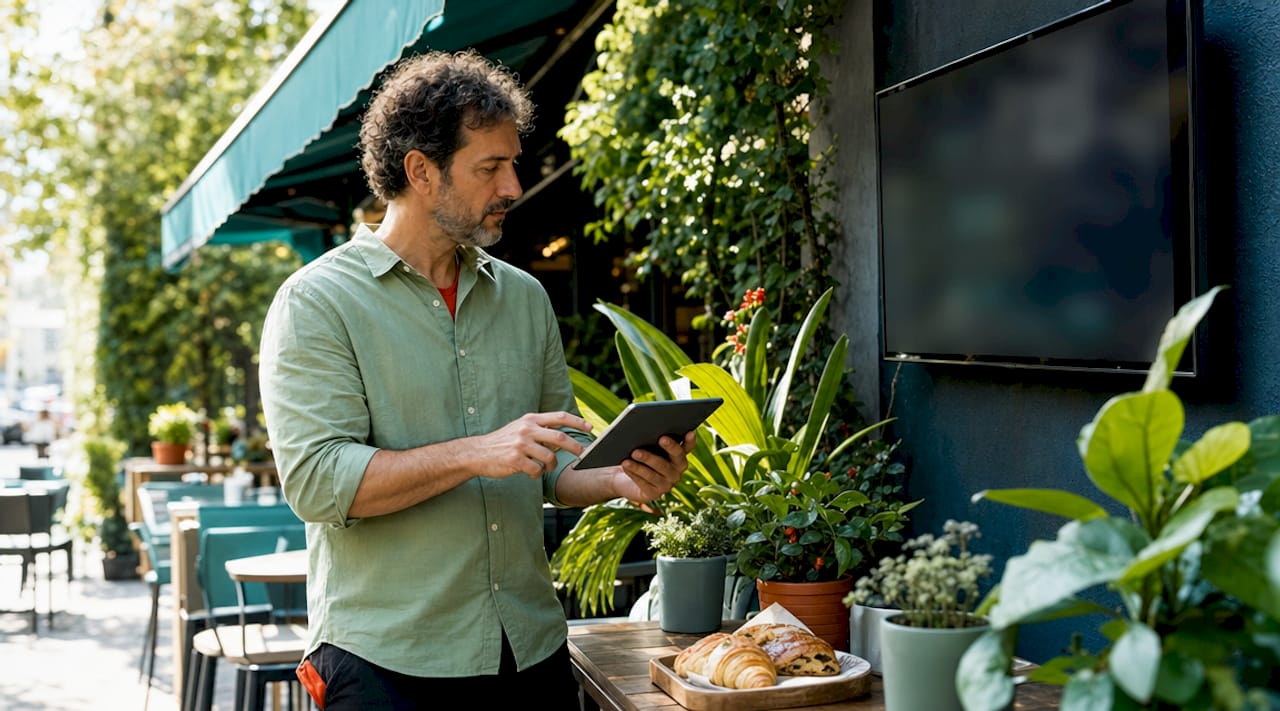
Daily specials display on screens through dynamic digital signage platforms that connect template-based content to live data sources, scheduling tools, and content management systems (CMS) for real-time, automated updates. The industry term for this process is dynamic digital signage, and understanding how it works gives hospitality, fitness, and retail managers a direct advantage in driving sales and customer engagement. Platforms like TouchWo, SpinetiX, and Signstream make it possible to push a new special to every screen in your venue in under a minute, without touching a single display. This guide covers the full picture: software, hardware, design best practices, and real-time troubleshooting so your screens always show the right offer at the right time.
How daily specials display on screens: the core mechanism
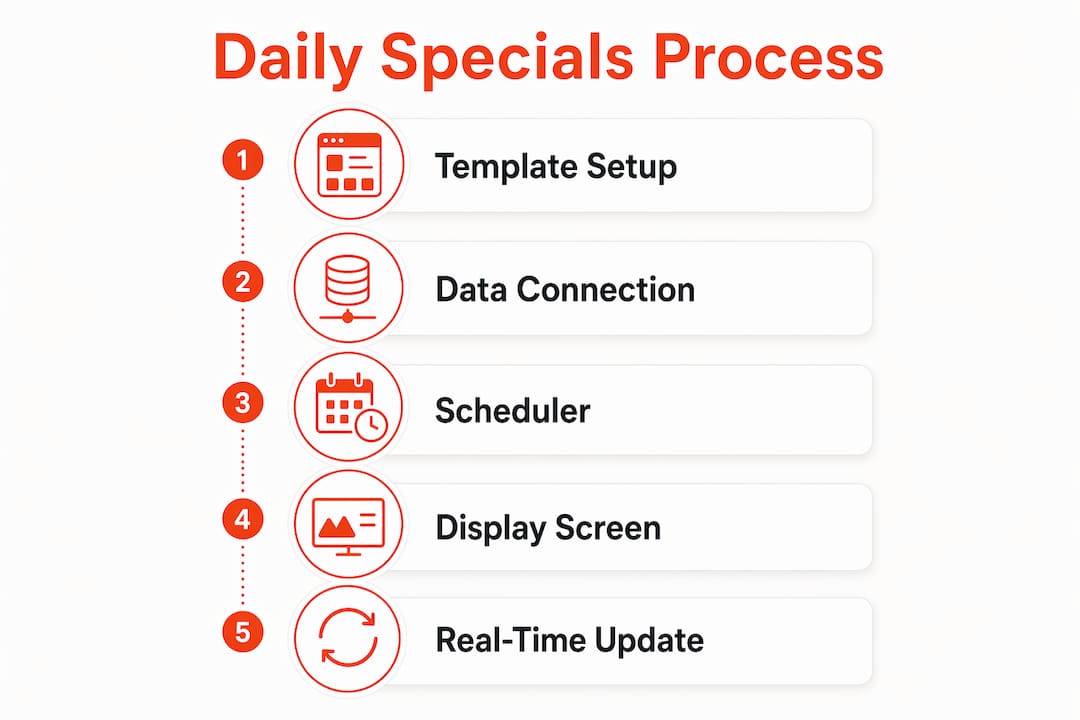
The foundation of how daily specials display on screens is a three-part system: a content template, a data source, and a scheduler. Templates connected to live data let you update the dish name, description, price, and photo in one backend interface, and that change syncs immediately to every screen on your network. You are not redesigning a graphic each time. You are filling in fields, and the template does the visual work.
The data source is where the content lives. This can be a Google Sheet, a point-of-sale (POS) system, or a direct API connection to your inventory platform. When a special sells out or a price changes, the data source updates and the screen reflects it. Platforms like Imejis take this further by treating daily specials as a content pipeline that automates image generation from a spreadsheet and pushes the result to signage players on a schedule. This removes the manual design step entirely.
The scheduler is the third piece. It controls which content appears at which time, a practice called dayparting. A breakfast special appears at 7 a.m. and disappears at 11 a.m. without anyone touching a keyboard. Playlist scheduling with data refresh intervals of one to five minutes keeps specials accurate throughout the day. This is the mechanism that separates dynamic digital signage from a static poster or a PDF menu.
What software and platforms enable dynamic specials updates?
The CMS is the control center for your digital menu board specials. Cloud-based platforms allow you to manage multiple locations remotely from a single device, scheduling content changes and pushing real-time price or item updates across every screen simultaneously. For a restaurant group with five locations or a gym chain with three clubs, this is the difference between a 30-minute update job and a 3-minute one.
Key software capabilities to look for when showing daily deals digitally include:
Template libraries with dedicated daily specials categories that accept text, pricing, and image fields
Data source integrations with Google Sheets, POS systems like Square or Toast, and open APIs
Dayparting schedulers that swap content automatically based on time of day or day of week
Multi-screen sync that pushes updates to all displays simultaneously rather than one at a time
Analytics dashboards that show which specials are getting screen time and for how long
SpinetiX and similar enterprise platforms refresh content at intervals as short as one minute, which matters when you mark a special as sold out and need every screen to reflect that change before the next customer orders. For smaller operators, Signstream delivers the same scheduling and sync capability with an interface that requires no technical expertise, making it a practical choice for independent restaurants, boutique gyms, and retail shops.
Pro Tip: Connect your specials template directly to a shared Google Sheet. Your kitchen manager updates one cell, and every screen in the building updates automatically. No login to a design tool required.
How hardware and network setup affect multi-screen specials display
The physical infrastructure behind your screens determines how fast and reliably updates reach every display. Most setups use one of three device types: dedicated media players (small boxes that plug into any HDMI screen), smart TVs with built-in signage apps, or low-cost single-board computers like Raspberry Pi for budget-conscious deployments. Each has trade-offs in processing power, remote management capability, and cost.
Network reliability is the single biggest variable in multi-screen performance. Here is a practical setup checklist for reliable daily specials display across multiple screens:
Use a dedicated Wi-Fi network or wired ethernet for your signage devices, separate from your guest or customer network, to avoid bandwidth competition.
Set static IP addresses for each media player so the CMS always knows where to send updates.
Configure automatic restart schedules (nightly, for example) so devices clear cache and reconnect without manual intervention.
Keep image files under 2MB in JPG or PNG format to minimize loading delays and maintain crisp display quality on high-resolution screens.
Enable offline mode on your signage platform so screens continue showing the last synced content if the connection drops, rather than going blank.
Slow or offline devices delay updates and require either a reconnection trigger or a server restart to force a sync. This is a known issue with upload-to-all methods, where the CMS pushes a file to each device individually. Server-sync methods, where devices pull updates from a central server on a schedule, are more reliable at scale because a missed push simply gets picked up on the next refresh cycle.
Pro Tip: For multi-location setups, label every device in your CMS with its physical location and screen position (e.g., “Location 2 Front Counter Left”). When a screen goes offline, you know exactly where to send someone without guessing.
What are best practices for designing and scheduling specials content?
Content design and scheduling are where most operators leave money on the table. A well-timed, well-designed special on a digital menu board outperforms a handwritten chalkboard sign by a wide margin, but only if the execution is deliberate.
Visual design principles for digital menu board specials
High-quality photos, clear text, and strategic tags like “Limited Time” or “Chef’s Pick” are the three visual levers that drive orders. A photo of a dish increases its order rate significantly compared to a text-only listing. The tag creates urgency. The text needs to be readable from at least three meters away, which means a minimum font size of 40pt for body copy on a standard 55-inch display.
Design Element | Best Practice |
Photography | Use real food photos, minimum 1080p resolution, under 2MB file size |
Font size | 40pt minimum for descriptions, 60pt or larger for price and item name |
Color contrast | Dark background with light text, or vice versa, for readability at distance |
Tags and labels | Use “Limited Time,” “Today Only,” or “Sold Out” as colored badges, not plain text |
Animation | Short fade or slide transitions (under 2 seconds) draw attention without distracting |
Scheduling and dayparting for maximum relevance
Dayparting improves sales and reduces choice paralysis by showing customers only what is available right now. A gym displaying a post-workout protein shake special at 6 p.m. is more effective than showing it at 9 a.m. A restaurant promoting a lunch special at 11:30 a.m. catches the decision window before customers commit to a choice. Set your scheduler to match your foot traffic peaks, not just your meal periods.
Countdown timers are an underused tactic in creative digital menu displays. A “Today’s Special ends in 2 hours” timer on screen creates real urgency without any additional staff effort. Pair this with a dedicated specials zone on your screen layout, separate from your standard menu, so the eye travels to it naturally. Balancing the promotional zone at roughly 20 to 30 percent of total screen real estate keeps the display clean and the special prominent without overwhelming the viewer.
How can managers update and troubleshoot specials displays in real time?
Speed and accuracy in updates are the operational core of promoting specials on screens. The most common failure point is not a technical one. It is a workflow one. Staff update a whiteboard or tell the host verbally but forget to update the screen. A clear backend workflow fixes this.
The most effective real-time update practices include:
Assign one person per shift as the screen update owner. This is not a full-time job. It takes two minutes per update when the template is already built.
Use “Sold Out” tags instead of deleting specials. Marking items sold out rather than removing them maintains display integrity, creates urgency for remaining items, and avoids accidentally breaking your template layout.
Monitor screen status from the CMS dashboard. Most platforms show a green or red indicator for each connected device. Check this at the start of each service period.
Keep a resync protocol posted near the POS. If a screen goes offline, the fix is usually: check Wi-Fi, restart the media player, and trigger a manual sync from the CMS. Three steps, under two minutes.
Test updates before service. Push a change 15 minutes before opening to confirm every screen reflects it. Do not discover a sync failure when the first customer orders.
Pro Tip: Create a “daily specials checklist” in your opening procedures. It takes 90 seconds to confirm screens are live, content is current, and sold-out items are tagged. That 90 seconds prevents the most common and most visible operational errors in food service.
For reliable multi-location synchronization, cloud-based platforms that use server-pull architecture are more forgiving than push-based systems. If one location’s internet drops overnight, it reconnects in the morning and pulls the current content automatically. You do not need to manually resend anything.
Key takeaways
Dynamic digital signage is the most reliable and scalable method for displaying daily specials on screens, combining template-based content, live data integration, and automated scheduling to eliminate manual errors and keep every screen current.
Point | Details |
Template plus data source | Connect specials templates to Google Sheets or a POS to update all screens from one input. |
Dayparting drives relevance | Schedule content by time of day to show the right special to the right customer at the right moment. |
Hardware and network matter | Use dedicated networks, static IPs, and server-pull sync for reliable multi-screen updates. |
Design for distance | Use high-contrast text, real food photos, and “Limited Time” tags to increase order rates. |
Sold Out tags over deletion | Mark items sold out rather than removing them to maintain urgency and template integrity. |
What I have learned from watching operators get this wrong
After working with dozens of hospitality and retail operators on their digital signage setups, the pattern I see most often is this: the technology is set up correctly, and then the workflow around it is not. A manager invests in a solid CMS, builds clean templates, and then the daily specials update falls to whoever happens to be near the screen at opening. Within two weeks, the display is showing yesterday’s special or a sold-out item, and customers are asking staff about something that is no longer available.
The operators who get the most value from dynamic digital signage treat the screen update as a service task, not a tech task. They build it into the opening checklist the same way they check that the coffee machine is on. The two-minute update becomes invisible because it is habitual.
The second thing I have noticed is that most operators underestimate the value of flash sale-style urgency on their specials screens. A countdown timer or a “Only 8 left today” tag does not require any additional inventory tracking. It just requires the confidence to use the tools already available in your CMS. The operators who use these features consistently report that customers comment on the screens, ask about the specials, and order them at higher rates than the same item listed on a static menu.
My honest prediction for 2026 and beyond: AI-driven personalization will start appearing in mid-market digital signage platforms, where the CMS learns which specials perform best at which times and auto-promotes them. The operators who already have clean data pipelines and disciplined update workflows will adopt this without friction. The ones still updating screens manually will be starting from scratch.
— DKS
See how Signstream handles daily specials display
Signstream is built specifically for the kind of real-time, multi-screen specials management this article describes. You can update daily specials from any device, push changes to unlimited screens instantly, and schedule dayparted content without any technical setup.

The platform includes pre-built templates for digital menu board specials, a scheduling tool for dayparting, and a CMS dashboard that shows the live status of every connected screen. Signstream also includes an ad exchange marketplace, so you can cross-promote with neighboring businesses and generate revenue from your screens beyond your own promotions. Check the digital signage pricing plans to find the right fit for your operation, whether you manage one location or twenty.
FAQ
How do daily specials update automatically on digital screens?
Daily specials update automatically through a CMS connected to a data source like a Google Sheet or POS system, with content refreshing at intervals of one to five minutes. When you change a value in the data source, the template on screen reflects it without any manual redesign.
What is the best way to show a sold-out special on screen?
Tag the item as sold out rather than deleting it from the template. This maintains the layout, creates urgency for remaining items, and prevents accidental template errors from removing content mid-service.
How does dayparting work for digital menu board specials?
Dayparting uses a scheduler in your CMS to swap content based on time of day. Automatic time-based menu switches show breakfast specials in the morning and lunch specials at midday without any manual intervention, improving relevance and reducing customer confusion.
What file format works best for specials images on digital screens?
JPG or PNG files under 2MB load quickly and display clearly on standard commercial screens. Larger files slow down sync times and can cause loading delays during high-traffic periods.
Can one platform manage daily specials across multiple locations?
Yes. Cloud-based digital signage platforms like Signstream allow you to manage multiple locations remotely from a single dashboard, pushing specials updates and schedule changes to every screen across all sites simultaneously.
Recommended
Comments