

Why Tourism Districts Use Shared Display Networks

Shared display networks are coordinated digital signage systems that deliver synchronized, real-time content across multiple public screens to engage visitors and promote local businesses. Tourism districts adopt these networks because isolated screens cannot match the reach, consistency, or commercial value of a unified display infrastructure. When every screen in a district tells the same story at the same moment, visitors get clearer guidance, businesses get more exposure, and district managers get a single point of control. Platforms like Signstream make this level of coordination accessible without requiring technical expertise, giving district stakeholders a practical path from scattered screens to a connected communication network.
Why tourism districts use shared display networks
Shared display networks solve a problem that static signage and disconnected screens never could: delivering the right message to the right visitor at the right location, all at once. The industry term for this approach is networked digital out-of-home (DOOH) signage, and it has become the standard for high-traffic tourism environments. The core value is coordination. A single content update pushes across every screen in the district simultaneously, whether that screen is at the entrance, the transit hub, or the waterfront.
The EON Network in Inglewood demonstrates this at scale, using synchronized displays for traffic updates and event messaging ahead of the 2028 Olympics. That project shows what is possible when a district commits to coordination over convenience. Visitors in Inglewood do not encounter conflicting messages or outdated information. They move through a district that communicates with one voice.
Synchronized technology creates what practitioners call digital corridors, where content flows across multiple screens rather than sitting in isolation on a single billboard. This transforms the visitor experience from passive observation to active guidance. District managers who understand this shift stop thinking about screens as advertising space and start thinking about them as infrastructure.
How do shared display networks improve visitor experience and navigation?
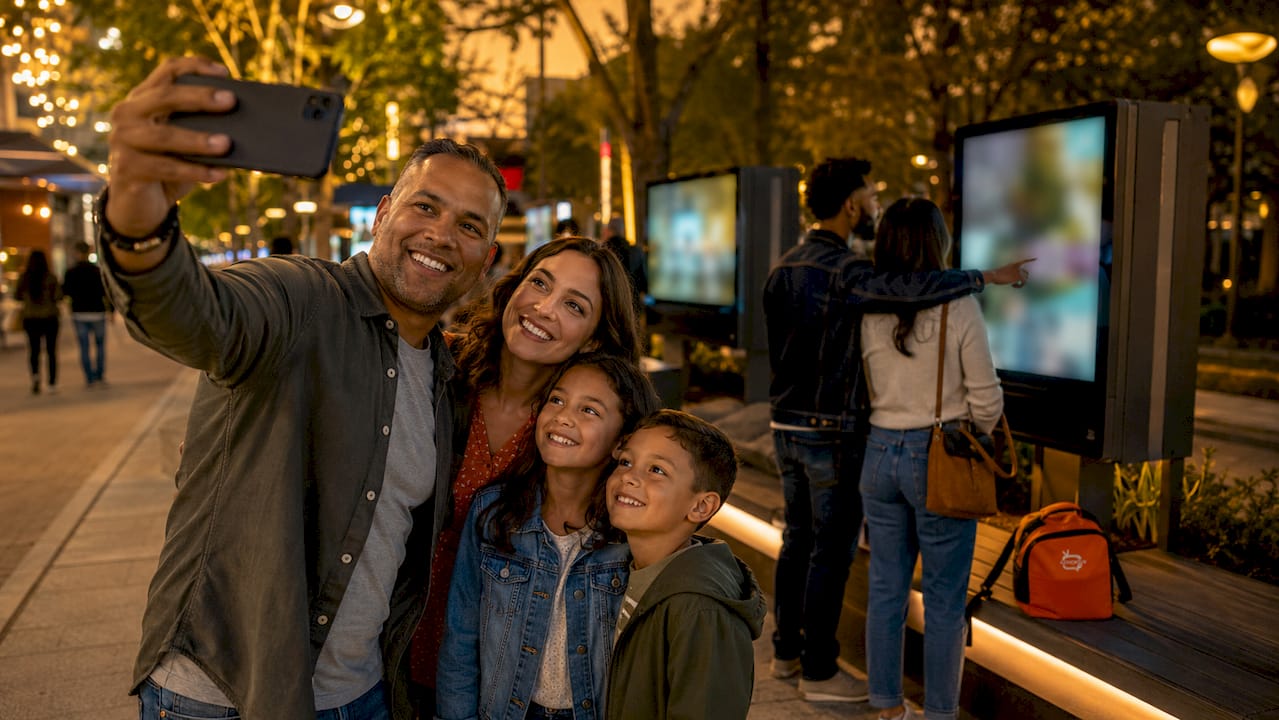
Visitor confidence depends on information quality. When a tourist cannot find a parking spot, misses an event start time, or gets lost between attractions, they spend less and leave earlier. Shared display networks fix this by putting accurate, timely information exactly where visitors need it.
Dynamic wayfinding is the most immediate benefit. Screens positioned at decision points, such as intersections, transit stops, and district entry points, display interactive maps and directional content that updates in real time. If a road closes for an event, the network reroutes visitors within minutes. Thoughtfully integrated signage helps visitors move confidently and encourages exploration of less-traveled parts of a district. That confidence directly translates to longer stays and higher spending.
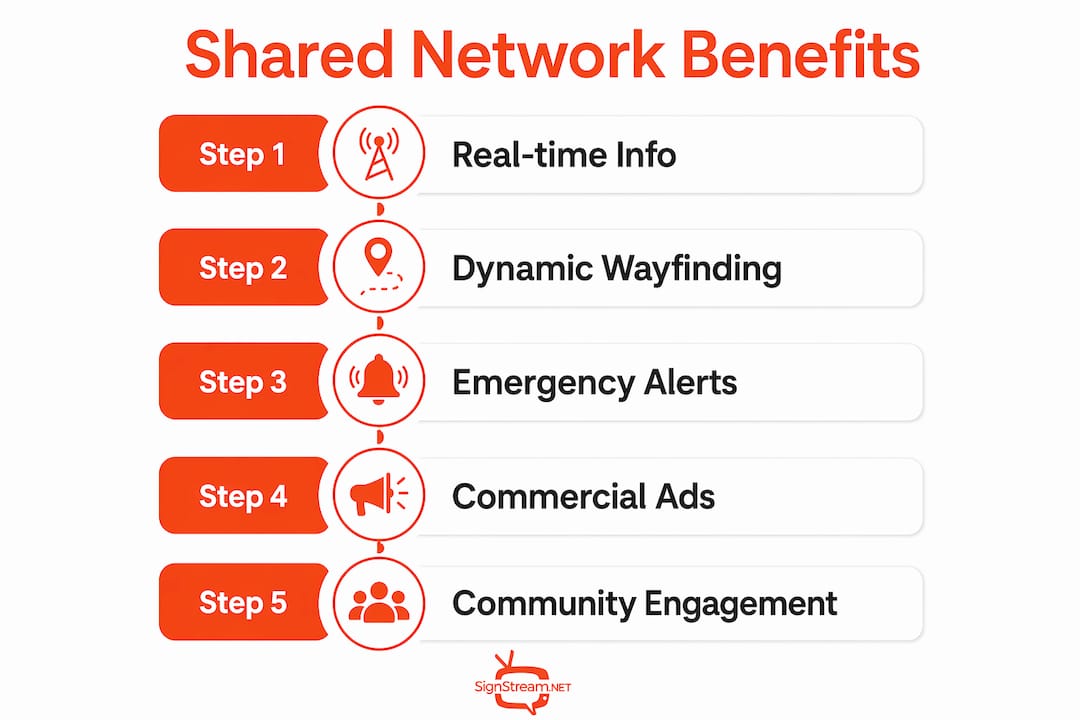
Real-time event and safety updates are equally critical. A shared network can push emergency alerts, weather warnings, or last-minute schedule changes across every screen in the district without any manual intervention at each location. This is the kind of civic utility that justifies public investment in the infrastructure.
Accessibility is not optional in modern tourism signage. Digital displays provide friction-free information including sensory details and bilingual content to increase visitor confidence. Experts say accessibility must be treated as a core product feature, not a compliance checkbox. A visitor who reads Spanish and a visitor who is hearing impaired both deserve the same quality of information.
Key visitor experience benefits include:
Dynamic wayfinding: Real-time maps and directional content at every decision point in the district
Event updates: Instant schedule changes, cancellations, and additions pushed district-wide
Safety alerts: Emergency messaging delivered simultaneously across all screens
Bilingual content: Language options that serve international visitors without separate signage
Sensory information: Accessibility details that help visitors with specific needs plan their visit
Pro Tip: Schedule wayfinding content to dominate morning hours when visitors are orienting themselves, then shift to dining and entertainment promotions in the afternoon. This time-of-day approach matches content to actual visitor behavior.
What are the commercial and community benefits of shared display networks?
The commercial case for shared display networks is straightforward: advertising revenue can offset or fully cover network operating costs while simultaneously driving foot traffic to local businesses. This dual function makes the investment attractive to both district managers and local stakeholders.
Tourism districts blend commercial advertising with wayfinding and recommendations via shared display networks to guide visitors effectively. A restaurant on a side street gets screen time at the district entrance. A boutique hotel appears on screens near the convention center. Local businesses that could never afford a standalone billboard campaign can participate in a shared network at a fraction of the cost.
The community benefits run deeper than revenue. Unified messaging across a district reinforces regional identity. When every screen carries consistent branding, local imagery, and community announcements alongside commercial content, visitors perceive the district as a cohesive destination rather than a collection of unrelated businesses. That perception drives return visits.
A practical governance model for balancing commercial and civic content follows four steps:
Define content categories: Separate civic content (wayfinding, events, safety) from commercial content (advertising, promotions) with clear time allocations for each.
Set approval protocols: Require all commercial content to pass a review process before it enters the rotation, preventing off-brand or inappropriate messaging.
Establish a content mix ratio: A common approach allocates roughly 60% of screen time to civic and wayfinding content and 40% to commercial messaging, though this varies by district.
Review and adjust quarterly: Analyze which content types drive the most visitor engagement and adjust the mix accordingly.
“The most effective shared networks treat commercial advertising and civic information as partners, not competitors. When a visitor sees a restaurant ad immediately after a map showing them where that restaurant is, both pieces of content become more valuable.”
Platforms like Signstream support this dual-audience approach through an ad exchange marketplace that lets businesses cross-promote across local screens while district managers maintain control over the content mix.
What technical and design considerations make shared display networks effective?
Synchronization technology is the foundation of any shared display network. Content management systems push updates to all screens simultaneously, eliminating the lag that makes isolated digital signage feel unreliable. The technical requirement is a stable, high-bandwidth connection at each screen location and a central platform capable of scheduling and distributing content in real time.
Architectural integration is the design factor most district managers underestimate. Displays integrated into urban furniture or infrastructure are seen as trusted civic sources, increasing engagement compared to temporary or bolted-on installations. A screen mounted inside a custom kiosk that matches the district’s street furniture reads as permanent and authoritative. A screen zip-tied to a fence reads as temporary and ignorable.
Content governance prevents the most common failure mode: clutter. Clear protocols for content approval ensure a balanced mix of civic and commercial content. Without governance, screens fill up with competing messages that cancel each other out. Visitors stop reading them, and the network loses its value to everyone.
Infrastructure planning covers three non-negotiable elements: reliable connectivity at every screen location, a cloud-based content management system accessible from any device, and a maintenance schedule that keeps screens operational during peak visitor periods. Downtime during a major event is not just a technical failure. It is a visitor experience failure.
Pro Tip: Before installing any screen, walk the district as a first-time visitor. Note every point where you felt uncertain about direction, timing, or options. Those are your priority screen locations.
For district managers evaluating platforms, the 2026 guide to tourism digital screen networks covers platform selection criteria in detail.
How to implement and manage a shared display network in a tourism district?
Implementation starts with a site audit, not a technology purchase. Walk the district, map visitor flows, and identify the locations where information gaps cause the most friction. High-traffic entry points, transit connections, and major attraction entrances are always priority sites.
Stakeholder engagement determines whether the network succeeds or stalls. Local businesses need to understand the commercial opportunity. City officials need to see the civic utility. Technology providers need clear specifications. Bring all three groups into the planning process before any screens go up.
A practical implementation checklist covers:
Site selection: Prioritize locations where visitors make navigation decisions, not just high-visibility spots
Stakeholder agreements: Formalize content rights, revenue sharing, and governance responsibilities before launch
Content calendar: Build a 90-day content plan that covers wayfinding, events, and commercial slots before the network goes live
Platform selection: Choose a cloud-based system that allows updates from any device without technical expertise
Connectivity audit: Confirm reliable internet access at every planned screen location before committing to hardware
Maintenance plan: Assign responsibility for screen upkeep and establish a response protocol for outages
Content scheduling allows tailored messaging throughout the day to suit visitor flows and local needs. Morning traffic benefits from wayfinding emphasis, while afternoons highlight dining and shopping promotions. This time-based approach requires a platform with flexible scheduling built in, which is a standard feature in modern cloud-based systems.
Monitoring effectiveness means tracking more than screen uptime. Measure foot traffic changes near screen locations, gather visitor feedback on information quality, and review commercial partner results quarterly. The role of digital screens in tourist engagement covers measurement frameworks that district managers can apply directly.
Key Takeaways
Shared display networks deliver the most value when synchronized content, architectural integration, and clear governance work together as a single system.
Point | Details |
Synchronization is the core function | Real-time content updates across all screens eliminate conflicting messages and outdated information. |
Architectural integration builds trust | Screens embedded in urban furniture perform better than temporary installations because visitors treat them as civic infrastructure. |
Governance prevents content clutter | A defined content mix ratio and approval process keep civic and commercial messaging balanced and effective. |
Commercial revenue offsets costs | Advertising on shared networks can cover operating expenses while driving foot traffic to local businesses. |
Time-based scheduling maximizes impact | Matching content type to visitor behavior patterns, wayfinding in the morning and promotions in the afternoon, increases relevance. |
What I’ve learned from watching districts get this wrong
Most district managers I have observed approach shared display networks as a technology project. They spend months on hardware specs and connectivity plans, then launch with no content governance and no stakeholder alignment. Within six months, the screens are running a chaotic mix of outdated event posters and irrelevant ads. Visitors ignore them. Businesses pull their budgets. The network becomes expensive wallpaper.
The districts that get it right treat the network as a communication system first and a technology system second. They define what they want visitors to feel and do at each location before they pick a screen size. They build governance structures that give local businesses a voice without letting any single advertiser dominate the rotation. They integrate screens into the physical environment so carefully that visitors trust the information without thinking about where it comes from.
The most underused feature in most networks is time-based scheduling. A screen that shows the same content at 8 a.m. and 8 p.m. is wasting half its potential. Morning visitors need orientation. Evening visitors need entertainment options. The technology to serve both groups already exists. The barrier is almost always a content calendar that no one has taken the time to build.
My honest advice: hire a content manager before you buy a single screen. The technology is the easy part.
— DKS
Signstream’s platform for tourism district display networks
Tourism districts that want a shared display network without a complex IT project have a direct path forward with Signstream.

Signstream’s cloud-based platform supports synchronized multi-screen networks deployable on unlimited screens at no extra charge, with content updates pushed from any device in real time. The built-in ad exchange marketplace lets local businesses cross-promote across the network, creating the commercial revenue stream that offsets operating costs. District managers get full control over content scheduling, approval workflows, and screen groupings without needing technical expertise. Signstream’s interactive ad capabilities add another layer of visitor engagement, turning passive screens into two-way communication points. For districts ready to move from planning to action, Signstream is a practical starting point.
FAQ
What is a shared display network in tourism?
A shared display network is a group of synchronized digital screens managed from a single platform to deliver coordinated content across a tourism district. Content updates push to all screens simultaneously, covering wayfinding, events, and commercial advertising.
How do shared display networks support local businesses?
Local businesses gain affordable advertising access through a shared network, reaching visitors at high-traffic district locations without the cost of standalone digital billboard campaigns. Revenue from commercial slots can also subsidize the network’s operating costs for the district.
What is the biggest risk in managing a shared display network?
Content clutter is the primary risk. Without clear governance protocols and a defined content mix, screens fill with competing messages that visitors stop reading. A formal approval process and scheduled content categories prevent this outcome.
How does architectural integration affect network performance?
Displays embedded in urban furniture or existing infrastructure are perceived as trusted civic sources, which increases visitor engagement compared to temporary or standalone screen installations. Integration signals permanence and authority.
Can a small tourism district afford a shared display network?
Yes. Cloud-based platforms like Signstream deploy across unlimited screens at a fixed cost, and commercial advertising revenue from local businesses can offset or cover operating expenses. The commercial model makes shared networks financially viable for districts of any size.
Recommended
Comments